> ## Documentation Index
> Fetch the complete documentation index at: https://meilisearch-6b28dec2-add-render-template-route.mintlify.site/llms.txt
> Use this file to discover all available pages before exploring further.
# Postman collection for Meilisearch
> Import Meilisearch's OpenAPI specification into Postman to test and debug the API with a ready-made collection.
Postman is a platform that lets you create, organize, and reuse HTTP requests. You can import the Meilisearch OpenAPI specification directly into Postman to get a complete, up-to-date collection of all API routes.
If you don't have Postman already, you can [download it here](https://www.postman.com/downloads/). It's free and available on many OS distributions.
## Prerequisites
Download the Meilisearch OpenAPI specification file from the [latest Meilisearch release on GitHub](https://github.com/meilisearch/meilisearch/releases/latest). Scroll down to the **Assets** section of the release and download `meilisearch-openapi.json`. Save it somewhere on your computer.
## Import the OpenAPI specification
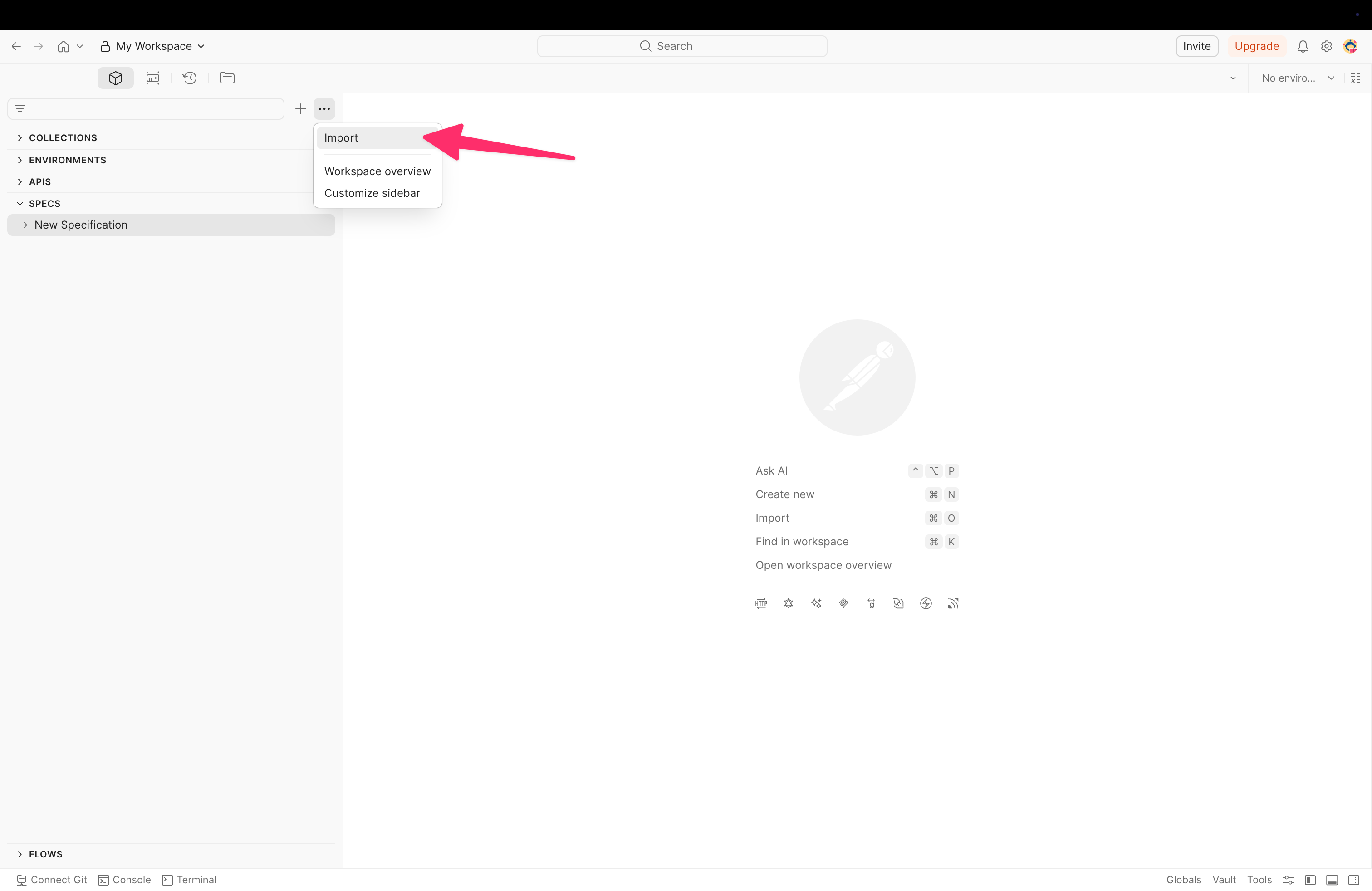
Click the three-dot menu (**...**) at the top of the sidebar, then select **Import**.
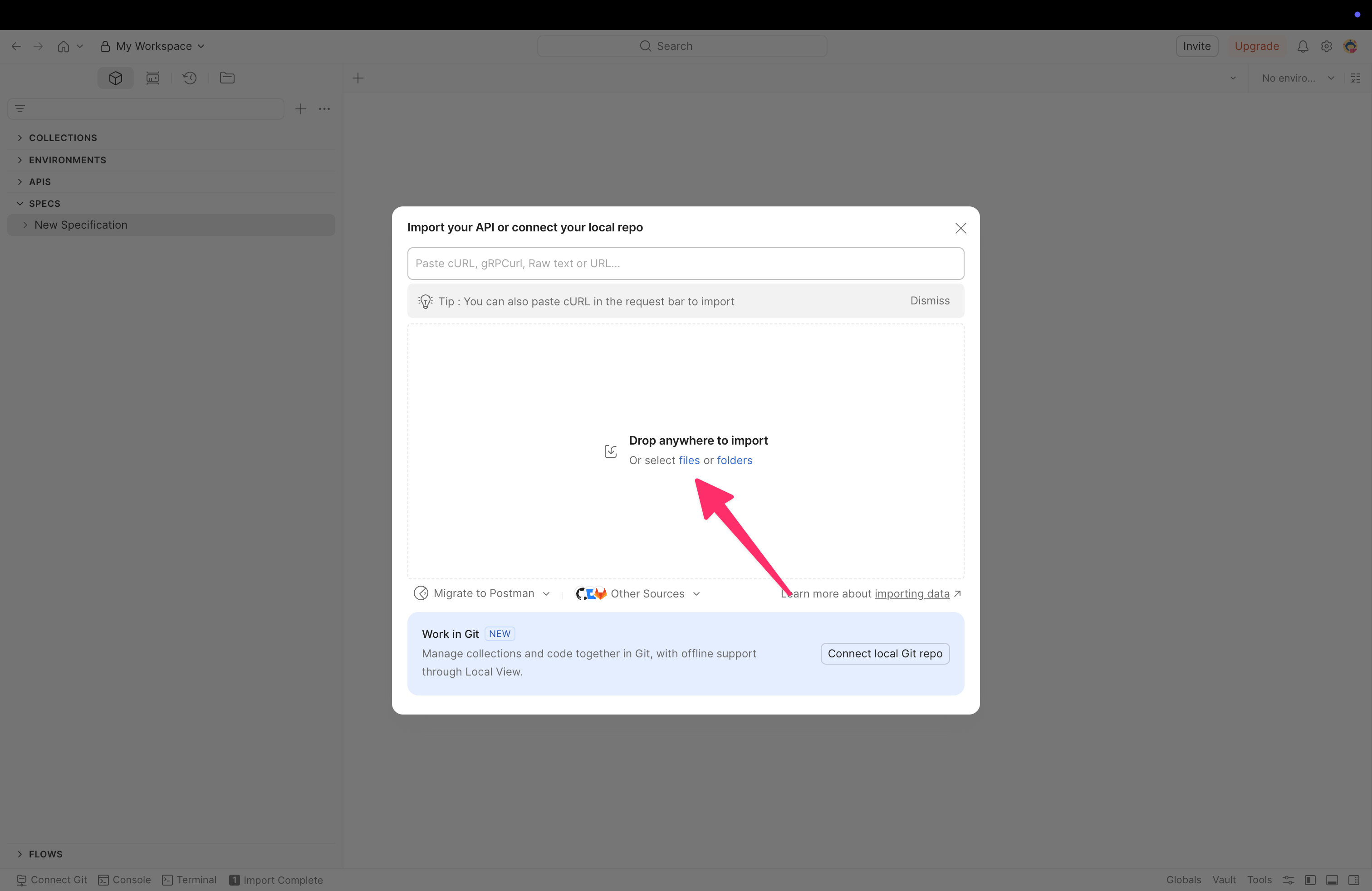
 In the import dialog, drag and drop the OpenAPI specification file or click **files** to select it from your computer.
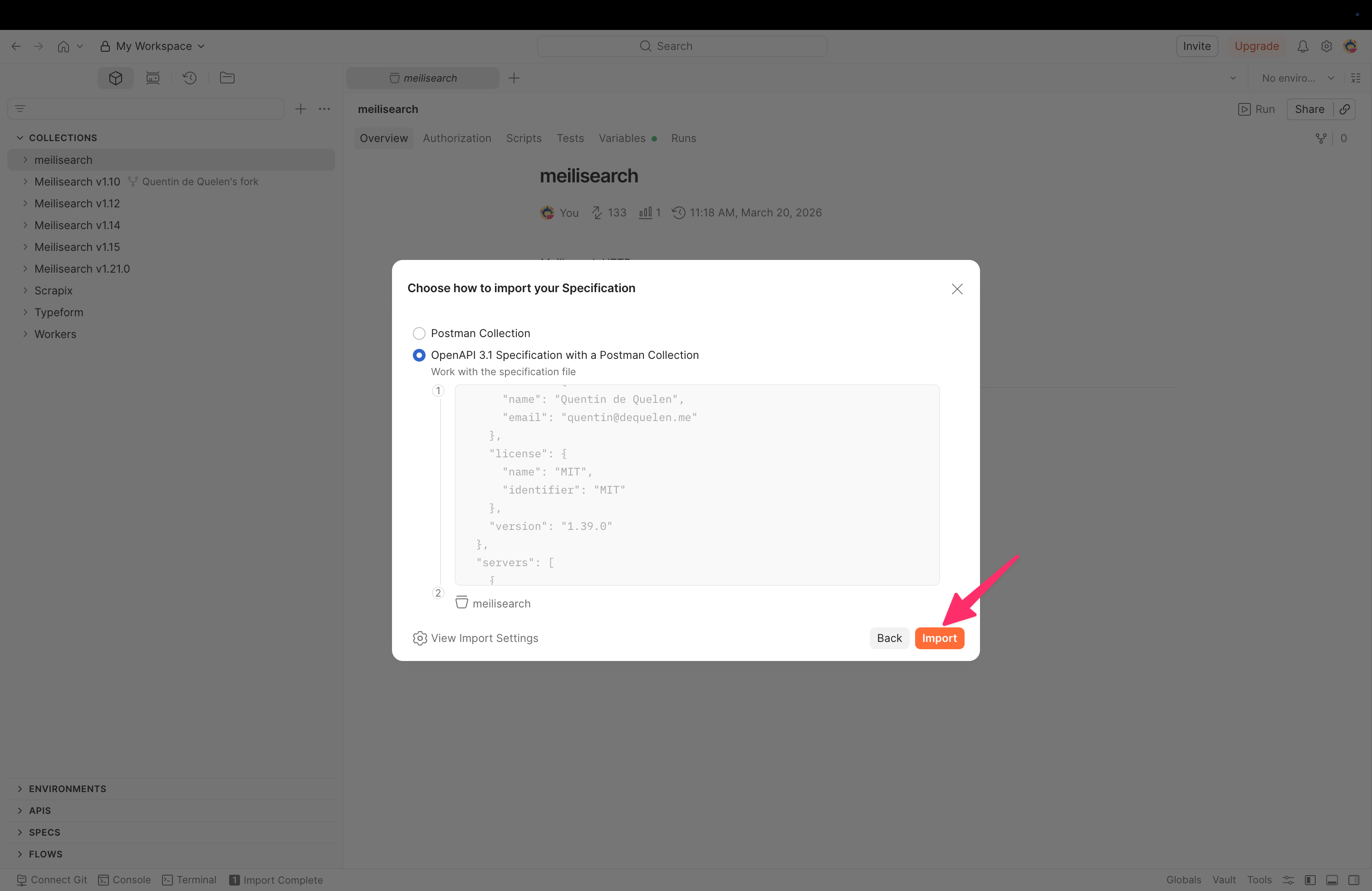
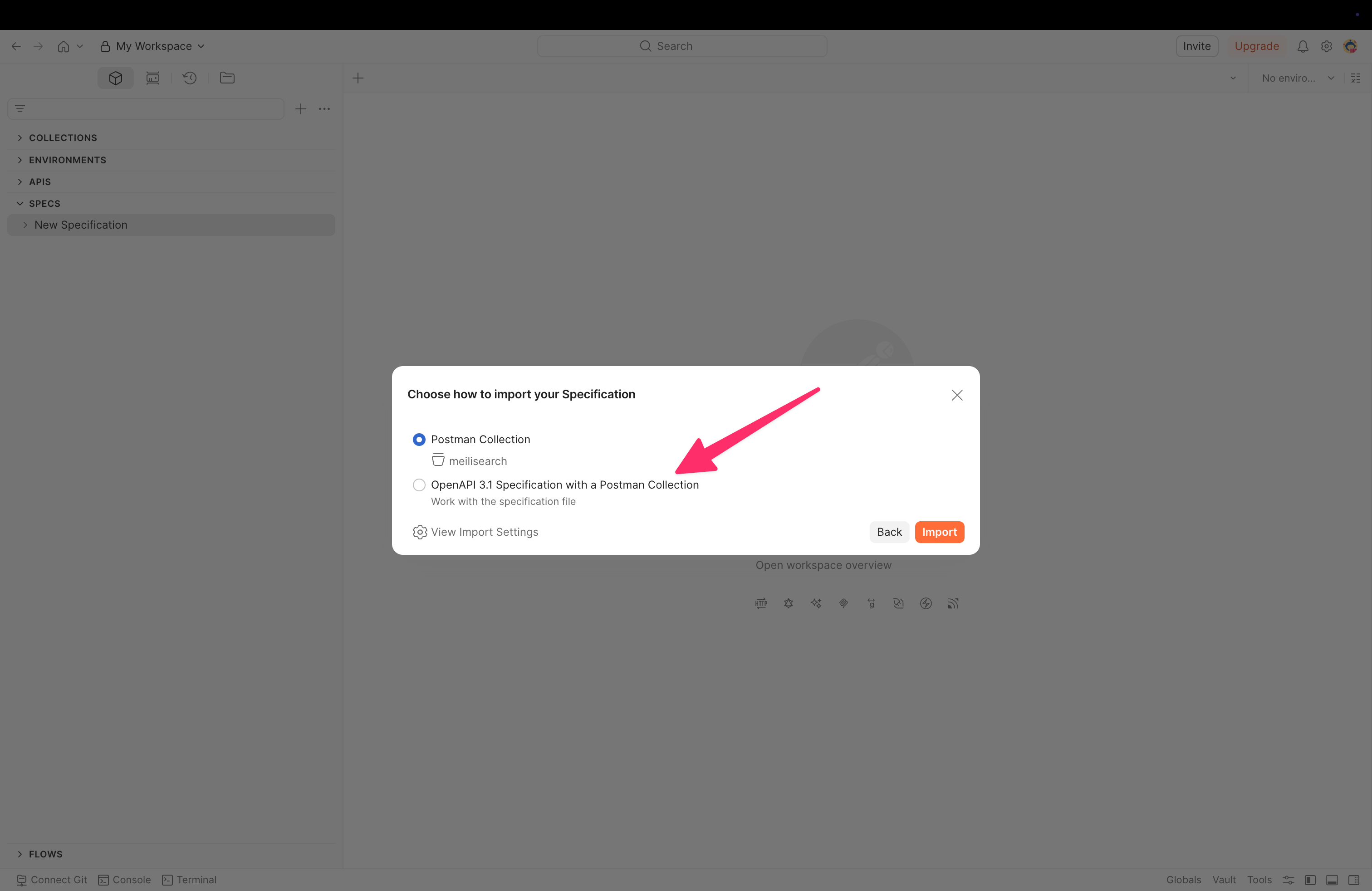 Postman detects the file format and asks how to import it. Select **Postman Collection** to create a collection with all Meilisearch API routes, then click **Import**.
 You can also select **OpenAPI 3.1 Specification with a Postman Collection** if you want to keep the raw specification alongside the collection.
 ## Configure authentication
After importing, you need to configure your API key so Postman can authenticate requests to your Meilisearch instance.
Individual requests use **Bearer Token** authentication. You can verify this by selecting any request and checking the **Authorization** tab. The token field references `{{bearerToken}}`, which Postman resolves from your global variables.
## Configure authentication
After importing, you need to configure your API key so Postman can authenticate requests to your Meilisearch instance.
Individual requests use **Bearer Token** authentication. You can verify this by selecting any request and checking the **Authorization** tab. The token field references `{{bearerToken}}`, which Postman resolves from your global variables.
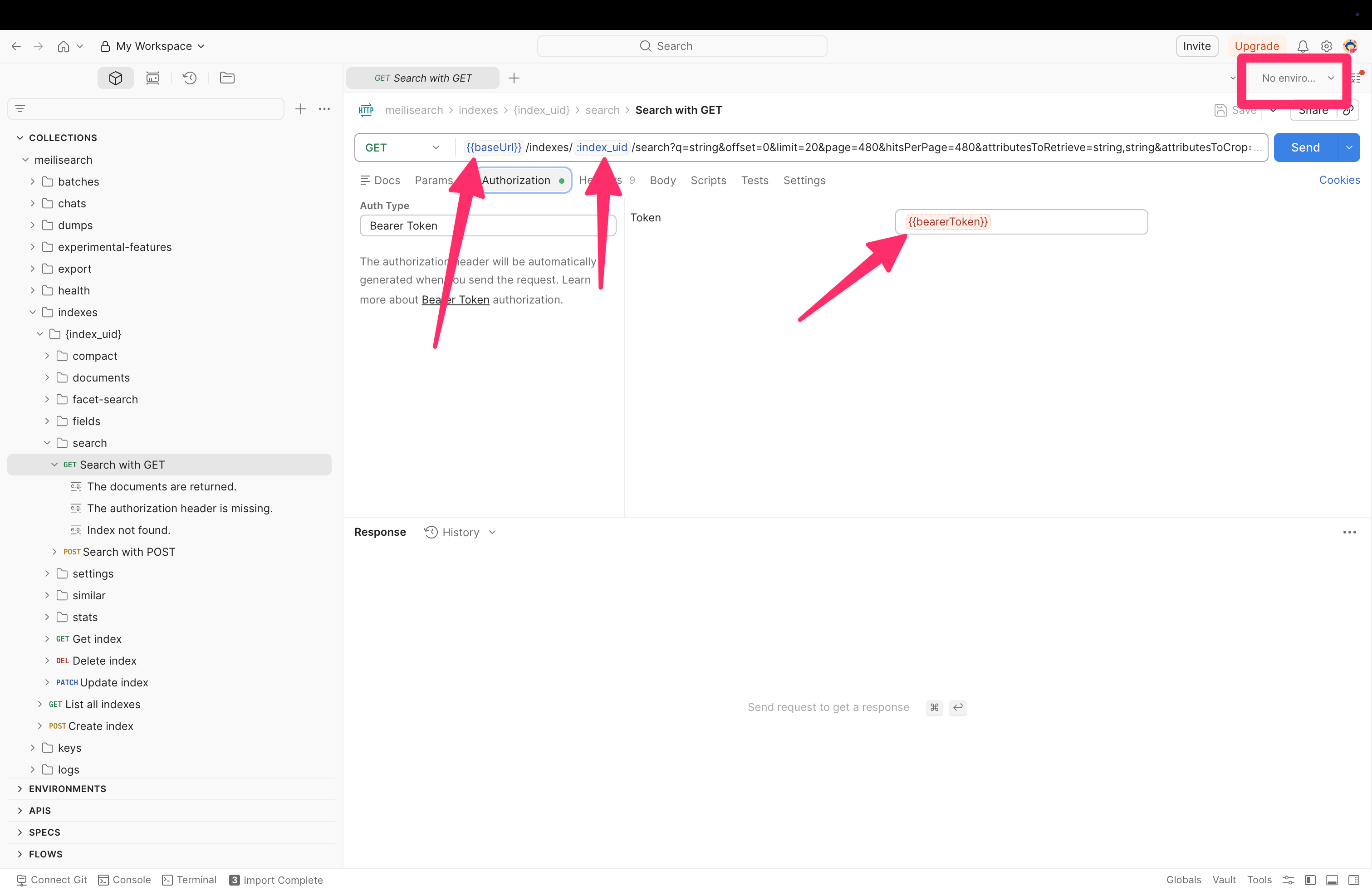 ## Start using the collection
You can now select any route from the sidebar, adjust parameters as needed, and click **Send** to make requests to your Meilisearch instance.
## Start using the collection
You can now select any route from the sidebar, adjust parameters as needed, and click **Send** to make requests to your Meilisearch instance.